
 By Admin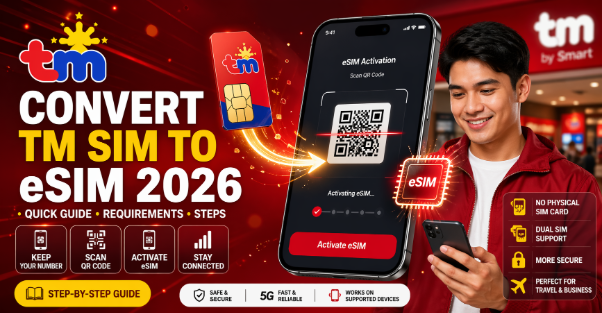
Switching from a physical SIM to an eSIM is quickly becoming the smarter choice for mobile users in the Philippines. If you’re using TM and wondering whether you can convert your SIM to eSIM, you’re not alone. Many users want the convenience of a digital SIM without changing their number.
From real-world usage and recent updates, the process isn’t fully self-service yet like in some countries—but it is possible through the network provider. This guide explains everything clearly: availability, requirements, steps, fees, and what to expect.
What is eSIM and Why Convert?
An eSIM is a digital SIM built directly into your phone. Instead of inserting a physical card, you activate your number through a QR code.
Benefits of eSIM
- No physical SIM card required
- Easier switching between networks
- Supports dual SIM (physical + eSIM)
- Better security (harder to remove or steal)
- Ideal for travelers and business users
Can You Convert TM SIM to eSIM?
Here’s the honest answer:
TM (Talk ‘N Text) operates under Smart Communications, and currently:
👉 Direct TM-to-eSIM conversion is limited or not widely available yet
👉 eSIM is mainly offered under Smart Postpaid and selected Smart Prepaid plans
What This Means for You
- TM users may need to migrate to Smart first
- Conversion usually requires visiting a physical store
- Online conversion is not fully supported yet
Requirements for Converting TM SIM to eSIM
Before starting, prepare the following:
- Valid government-issued ID
- Your active TM SIM card
- Mobile number you want to convert
- eSIM-compatible smartphone
- Proof of ownership (in some cases)
Supported Devices for eSIM
Not all phones support eSIM. Make sure your device is compatible.
Popular eSIM-Compatible Devices
- iPhone XS and newer
- Samsung Galaxy S20 and above
- Google Pixel 3 and newer
👉 Always check your phone settings under “SIM” or “Mobile Network” to confirm eSIM support.
Step-by-Step: Convert Physical TM SIM to eSIM
Since TM doesn’t fully support direct conversion yet, here’s the practical method users follow:
Step 1: Visit a Smart Store
Go to the nearest Smart Store.
👉 Tell the staff:
“I want to convert my TM SIM to eSIM while keeping my number.”
Step 2: Request SIM Upgrade / Migration
- Your TM number may be migrated to Smart
- Request conversion to eSIM during the process
Step 3: Submit Requirements
Provide:
- Valid ID
- Your SIM details
- Account verification
Step 4: Receive eSIM QR Code
Once approved:
- You’ll get a QR code
- This code activates your eSIM
Step 5: Activate eSIM on Your Phone
- Go to Settings → Mobile Network
- Tap “Add eSIM”
- Scan the QR code
Your number will now work digitally.
Fees and Charges
Costs may vary, but typically:
- SIM conversion fee: ₱99 to ₱199
- Replacement fee (if applicable)
👉 Some promos or postpaid plans may waive fees.
Important Things to Know
Your Old SIM Will Be Deactivated
Once converted:
- Physical SIM stops working
- eSIM becomes your active SIM
Keep Your QR Code Safe
- You may need it again for reinstallation
- Losing it can require another visit
Backup Your Contacts
- Contacts stored in SIM will be lost
- Save them to phone or cloud before conversion
Pros and Cons of Converting to eSIM
Pros
- No risk of losing SIM card
- Cleaner phone setup
- Better for dual SIM usage
- More secure
Cons
- Limited support for TM users
- Requires store visit
- Not all phones supported
Common Issues and Solutions
eSIM Not Activating
- Restart your phone
- Re-scan QR code
- Contact support
No Signal After Activation
- Check network settings
- Enable eSIM line
- Reset network settings
QR Code Not Working
- Request a new QR code from store
- Ensure stable internet connection
Is It Worth Converting TM SIM to eSIM?
If you:
- Use a modern smartphone
- Want dual SIM convenience
- Prefer a digital setup
👉 Then yes, it’s worth it
But if you’re a casual user and happy with your current SIM, you can wait until TM offers full direct support.
Pro Tips (From Real Experience)
- Visit stores during weekdays (less crowd)
- Call ahead to confirm eSIM availability
- Bring multiple IDs just in case
- Ask if direct TM support is available (it may expand soon)
Frequently Asked Questions
Can I convert TM SIM to eSIM online?
No, currently you need to visit a physical store.
Will I lose my number?
No, your number remains the same after conversion.
Can I switch back to physical SIM?
Yes, but you’ll need to request a SIM replacement.
Is eSIM better than physical SIM?
For most modern users, yes—it’s more convenient and secure.
Conclusion
Converting your physical TM SIM to eSIM in 2026 is possible, but not fully streamlined yet. Since TM operates under Smart, most conversions require a visit to a Smart Store and may involve migrating your number.
The process is still worth it if you want a cleaner, more flexible mobile experience. As eSIM adoption grows in the Philippines, we can expect easier and fully online conversion options in the near future.
If you’re ready to upgrade, prepare your documents, visit a Smart Store, and make the switch today.